Skip to content
  • Skip to primary navigation
  • Skip to main content

Food Access in Health Care

Serving Vermont and New Hampshire Since 1986

  • Food as Medicine
    • The Scoop on Food as Medicine
    • Food as Medicine in Vermont
    • Health Center Food Programs
    • Chronic Conditions and Food
    • Farm to Table Collaborations
  • Food & Nutrition Insecurity
    • Food & Nutrition Insecurity in Vermont
    • Food & Nutrition Insecurity Screening & Referrals
  • Older Adults
    • Older Vermonters Nutrition Coalition
    • Nutrition for Older Vermonters
  • About Us
    • FAHC Network
    • FAHC Community Grant Awardees
    • Strategic Plan & Data Dashboard
    • Events
    • Contact Us
  • Resources

How to add a video to your WordPress website

April 7, 2023 by Jeremi Lashua

Videos can tell an impactful story, and add dynamic, enriching content to your site, which can do more for your brand than words and photos on a page. If done properly, videos can also do wonders for your SEO by helping your page rank higher in a Google search.

Adding videos to your WordPress website doesn’t have to be tricky; we’ll explain the basic steps to easily embed videos so you can get the most out of your web presence.

First, upload your video to your company’s Youtube channel.

Most WordPress plug-ins pull video content directly from YouTube, so make sure that your video is properly uploaded to your own channel. Take care to name the video in a way that you would want your audience to see, as this information will most likely show up in multiple places, including your website. 

While YouTube is the most commonly used social media platform for videos, WordPress supports videos from a list of other common channels, like Cloudup, Vimeo, TikTok, Tumblr, and more. Click here for the full list of embeds supported by WordPress.

Using the simple oEmbed method to embed a video

oEmbed is probably the easiest way to embed videos into your WordPress site, and you don’t need any coding knowledge to do it. Here are the steps:

  1. Go to YouTube.
  2. Find the video you wish to embed on your site.
  3. Hover your mouse over the URL bar and copy the video’s URL.
  4. Next, go to your WordPress visual editor.
  5. Paste the video’s URL and WordPress will automatically embed the video.
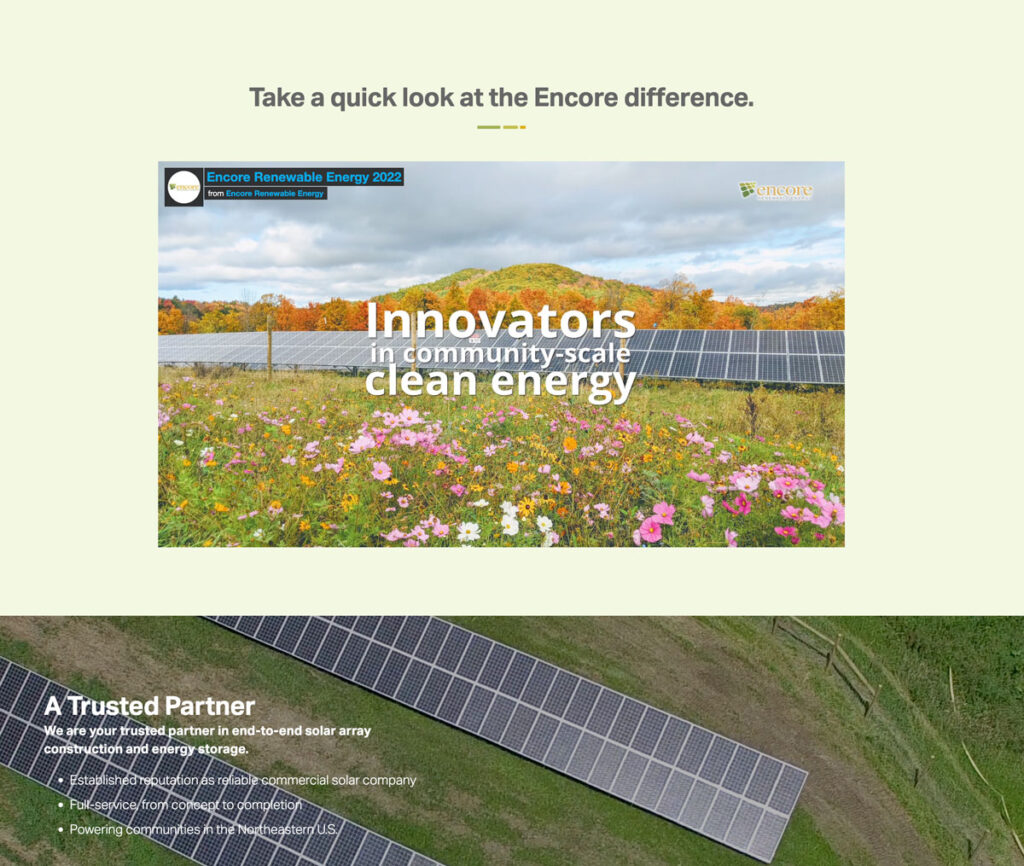
video displayed on website
A video embed on one of our website designs for Encore Renewable Energy

That’s it! It’s just that easy. Now get ready for more traffic, visibility, and shares! 

Filed Under: Site Maintenance, WordPress How-Tos Tagged With: Video

Bi-State Primary Care Association
525 Clinton Street
Bow, NH 03304

61 Elm Street
Montpelier, VT 05602
802-229-0002

Contact Us

Links

  • Food as Medicine
  • Food & Nutrition Insecurity
  • Older Adults
  • About Us
  • Resources
Bi-State Primary Care Association

HRSA Statement

This project was supported by the Health Resources and Services Administration (HRSA) of the U.S. Department of Health and Human Services (HHS) as part of an award totaling $189,892.00 with 0 percentage financed with non governmental sources. The contents are those of the author(s) and do not necessarily represent the official views of, nor an endorsement, by HRSA, HHS or the U.S. Government.

Copyright © 2026 Bi-State Primary Care Association – Website by Stride Creative Group